Proxmox Backup Server - Provisioning Certificates Through DNS Challenges
Steps
Firstly, create your API token. If using Cloudflare, then follow this guide.
Now we need to configure proxmox with a plugin for using our DNS provider for Let's Encrypt certificate challnges.
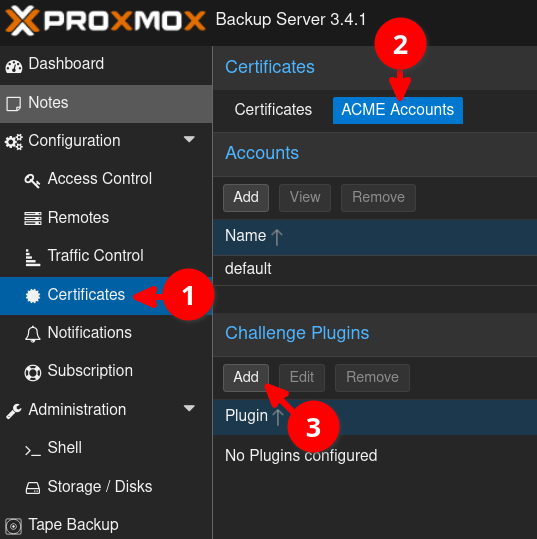
Go to Certificates > ACME Accounts AND then click Add under the CHallenge Plugins section.
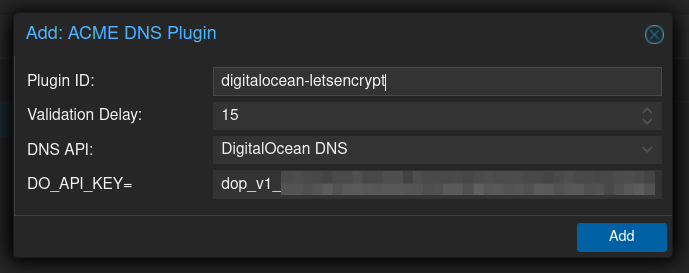
Fill in the details. In this case, I am using DigitalOcean. Depending on your provider, there may be different fields.
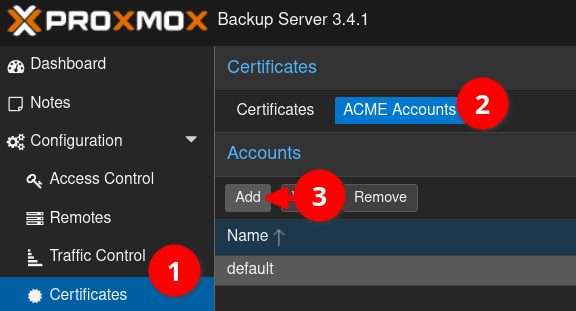
Add a Let's Encrypt account if you haven't already.
Then click on the Certificates tab and click Add under the Accounts section.
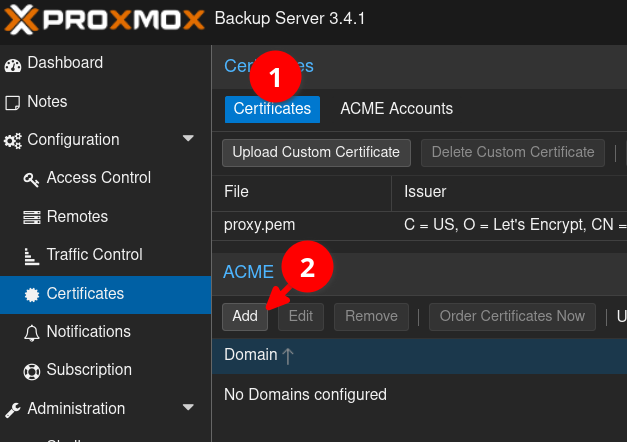
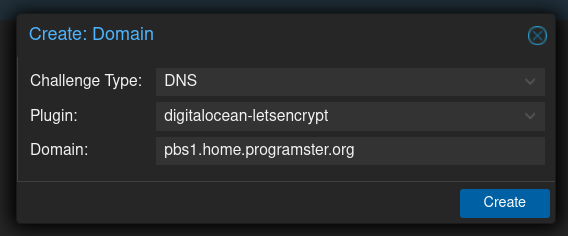
Select DNS for the challenge type, after which you will then be able to select the plugin you just added earlier. Then give it the full domain name of your server (remember that this does not include the port number).
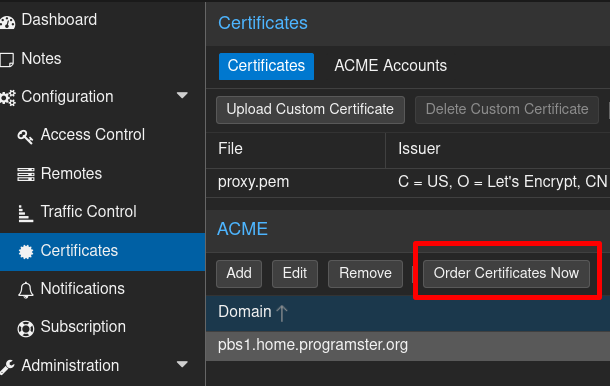
Then click the button to order the certificates using your plugin.
That's it!
First published: 8th January 2026
