Implementing Cloudflare Turnstile CAPTCHA
Cloudflare Turnstiles is a CAPTCHA mechanism to prevent bots performing actions (usually the submission of forms). It is incredibly simple to set up, and I have created a working demo PHP codebase available on GitHub that is based on thistutorial.
Steps
Generate Widget Site Key and Secret
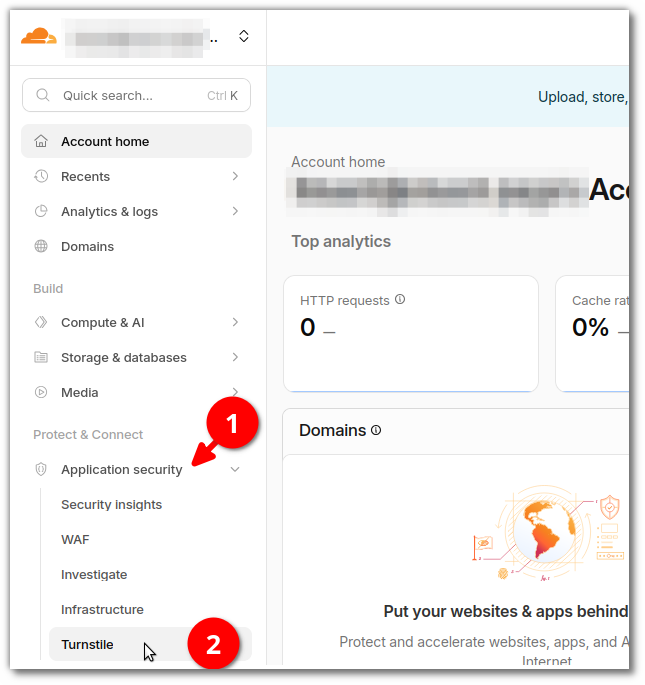
After logging into Cloudflare, go to Application security (1) and then Turnstile (2).
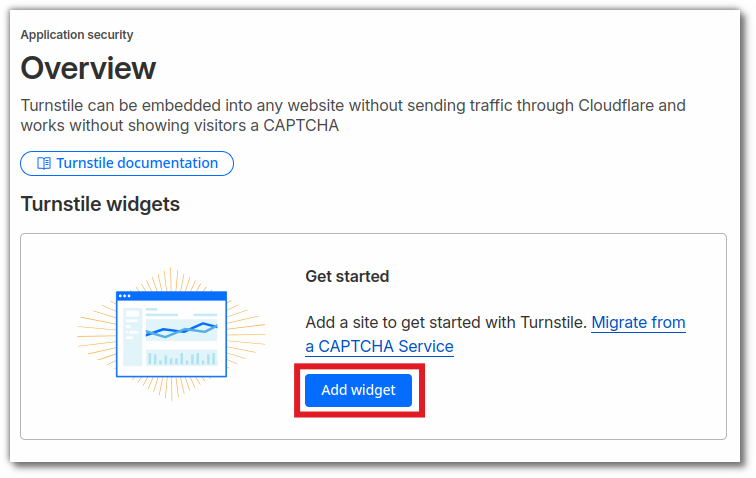
If this is your first time like me, just click Add widget.
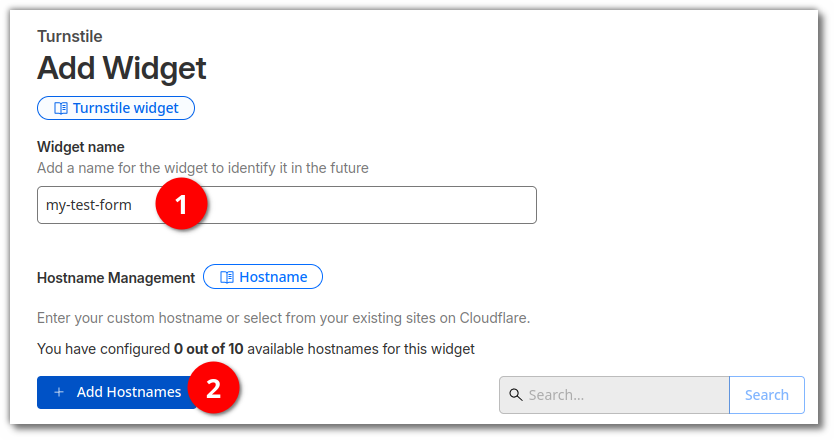
Give a name for your widget (which I would suggest be a name for your form), and then click Add Hostnames (2) for us to add the FQDN of our website.
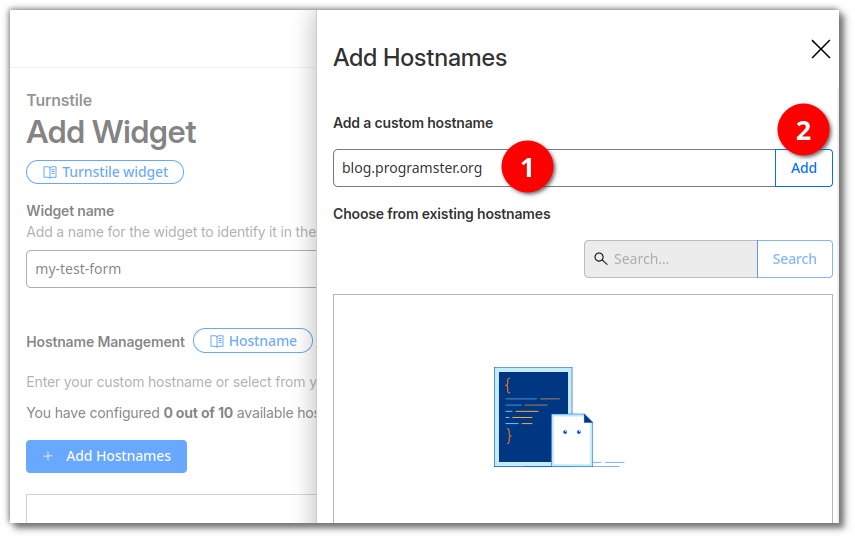
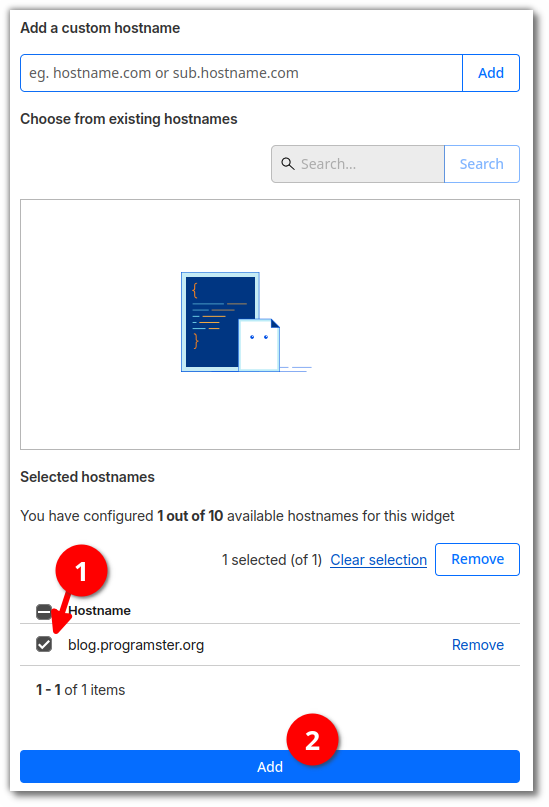
A panel will appear from the right. Enter your sites fully qualified domain name (FQDN) and then click Add (2).
Now select the hostname you just entered (1) and click Add (2).
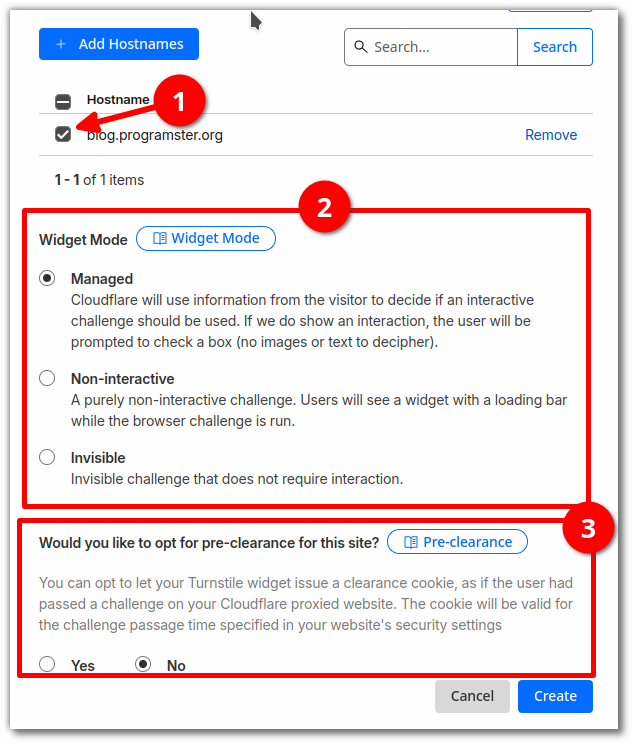
Now the panel will disappear, and your site's hostname should appear. Select it (1) and then select the Widget Mode (2). I would recommend leaving it on Managed to have the most effective solution (lowest rate of false positives). Then choose whether you would like to opt for pre-clearance on the site. Finally click the Create button.
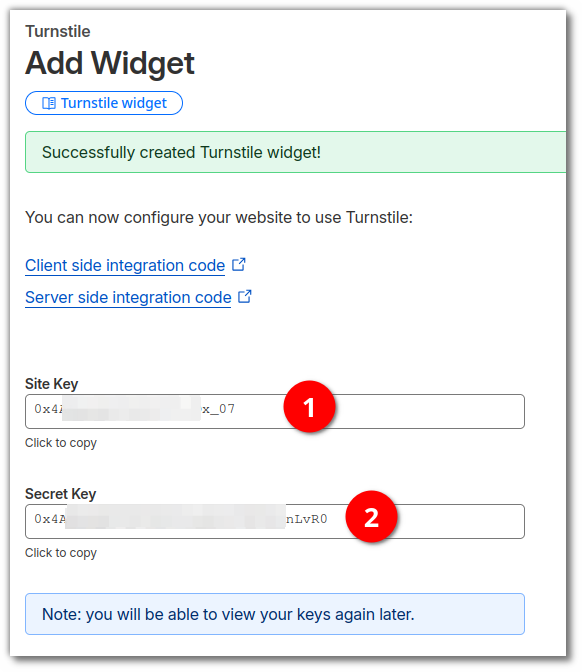
You will now be given your Site key and Secret. Copy these down and we will use them in the implementation steps further on.
Implementation
There are many ways to implement this, but believe it is probably best to use the following method in which we use JavaScript to complete the "challenge" and only allow the form's submit button to be enabled if the user has passed the challenge. This is more user friendly than allowing the user to submit the form, and have failed the challenge, possibly frustrating the user with needing to fill in all of the details again. At least if a legitimate user "fails" incorrectly, then the user has the ability to see this and try to copy the details and try again.
Frontend
Add the following to the <head> section of your site to include the necessary JS code.
<!-- resource hint to optimize loading performance. Not strictly required -->
<link rel="preconnect" href="https://challenges.cloudflare.com">

<script
  src="https://challenges.cloudflare.com/turnstile/v0/api.js"
  async
  defer
></script>
Then add the following inside your form:
<div
    class="cf-turnstile"
    data-sitekey="<YOUR-SITE-KEY>"
    data-theme="auto"
    data-size="flexible"
    data-callback="onTurnstileSuccess"
    data-error-callback="onTurnstileError"
    data-expired-callback="onTurnstileExpired"
  ></div>
<YOUR-SITE-KEY>.
Then make sure to set your submit button to disabled by default, so that the
turnstile later enables it if the user passes.
<button type="submit" id="submit-btn" disabled>Send Message</button>
Then add this JavaScript below the form for it to enable the submit button if the user passes the challenge (you may likely wish to remove the console logging once you are happy):
<script>
  function onTurnstileSuccess(token) {
    console.log("Turnstile success:", token);
    document.getElementById("submit-btn").disabled = false;
  }
  function onTurnstileError(errorCode) {
    console.error("Turnstile error:", errorCode);
    document.getElementById("submit-btn").disabled = true;
  }
  function onTurnstileExpired() {
    console.warn("Turnstile token expired");
    document.getElementById("submit-btn").disabled = true;
  }
</script>
Backend Implementation
Now that the frontend is "done", we need to handle this in the backend. When a normal user submits the form, it will have a token from the Turnstile, that we need to verify is legitimate. If you do not see this token, then you immediately know that this was a hack or bot and can throw away the request. If the token is present, we have to verify it to make sure that it wasn't just made up, or failed.
<?php

define('CF_TURNSTILE_SECRET_KEY', 'xxxxxxxxxxx');

function isValidToken(string $token, string $secret, ?string $remoteip = null) : bool
{
    if ($token !== "")
    {
        $url = 'https://challenges.cloudflare.com/turnstile/v0/siteverify';

        $data = [
            'secret' => $secret,
            'response' => $token
        ];

        if ($remoteip !== null)
        {
            $data['remoteip'] = $remoteip;
        }

        $options = [
            'http' => [
                'header' => "Content-type: application/x-www-form-urlencoded\r\n",
                'method' => 'POST',
                'content' => http_build_query($data)
            ]
        ];

        $context = stream_context_create($options);
        $response = file_get_contents($url, false, $context);

        if ($response === FALSE)
        {
            throw new \Exception("Internal Error - Failed to verify Turnstile token.")
        }

        $validationResult = json_decode($response, true);
        $isValidToken = $validationResult['success'];
    }
    else
    {
        $isValidToken = false;
    }

    return $isValidToken;
}


$token = $_POST['cf-turnstile-response'] ?? '';
$remoteIp = $_SERVER['HTTP_CF_CONNECTING_IP'] ?? $_SERVER['HTTP_X_FORWARDED_FOR'] ?? $_SERVER['REMOTE_ADDR'];

if (isValidToken($token, CF_TURNSTILE_SECRET_KEY, $remoteIp))
{
    // Valid token - process form as normal here
    // ...
}
else
{
    // Invalid token - show error
    error_log('Turnstile validation failed: ' . implode(', ', $validation['error-codes']));

    // replace this with a proper HTML/JSON response
    die("Verification failed. Please try again.");
}
References
First published: 23rd January 2026
